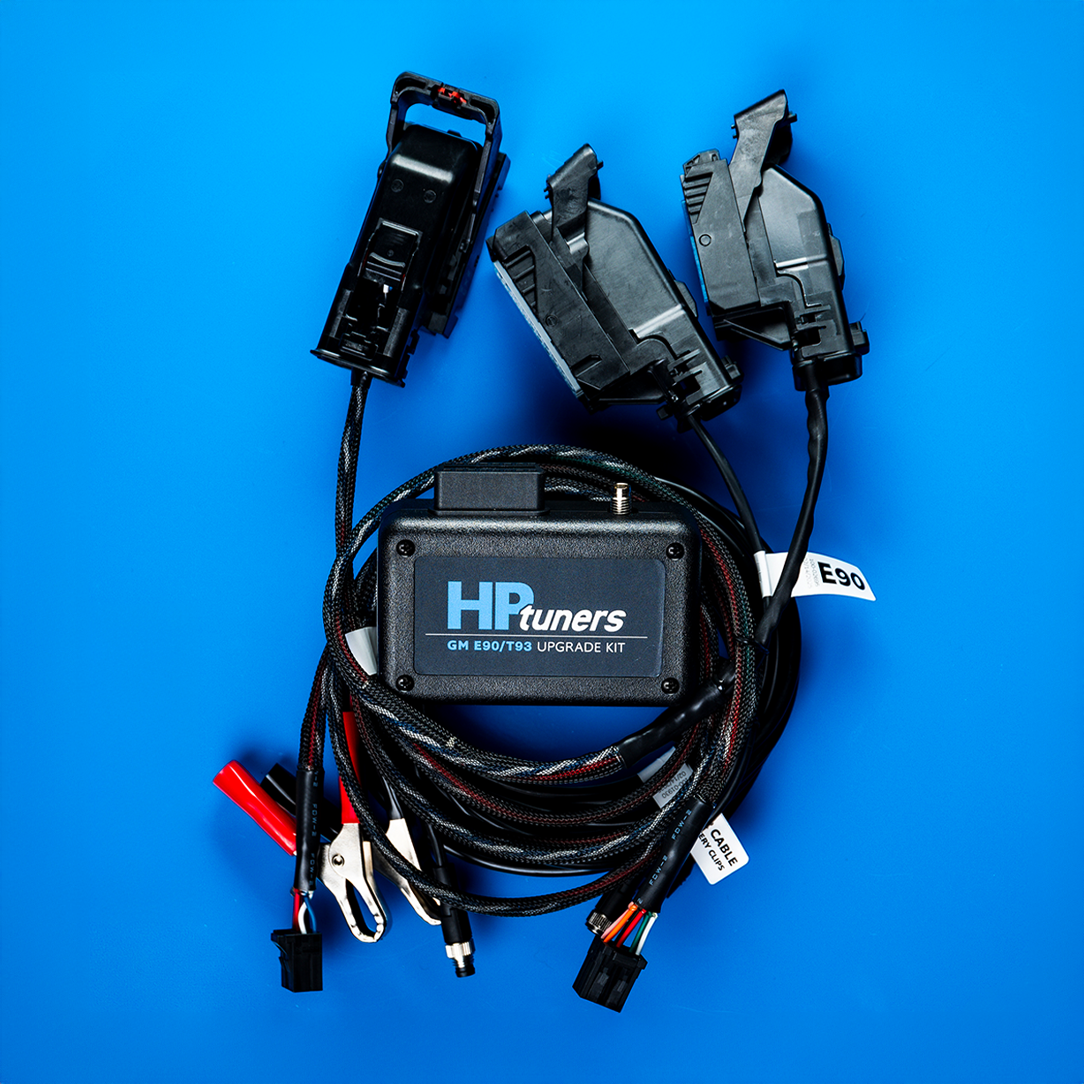

HP Tuners 2020-2023 6.6L Duramax T93 TCM Unlock Tool
HP Tuners 2020-2023 6.6L Duramax T93 TCM Unlock Tool
SKU:HP-T93-UB
AMDP
Couldn't load pickup availability
Take full control of your truck’s performance with the GM E90/T93 Upgrade Kit!
Designed for 2019-2022 GM vehicles equipped with the E90 ECM (engine control module) and 2020-2023 Duramax T93 TCM (transmission control module), this kit enables full tuning capability—without ever removing your controllers from the vehicle. Perform the upgrade quickly and easily from your own garage or shop.
Here are the instructions for use in the 20-23 Duramax:
Step-by-Step Guide: GM T93 TCM Upgrade for 2020–2023 Duramax Trucks Using HP Tuners Kit
Preparation
1. **Turn off the vehicle and disconnect batteries**: Ensure the vehicle is off. Use a 10 mm socket to disconnect the negative terminals from both batteries (Duramax trucks have two: one on the passenger side and one on the driver's side in the engine bay). This is critical for safety to prevent electrical issues or damage.
2. **Download software**: Download the latest VCM Suite beta from hptuners.com/downloads.
Locating and Accessing the TCM
3. **Locate the TCM**: Find the TCM on the driver's side of the engine bay.
4. **Remove the fuel fuse box for access**: Push the click on the back side of the fuse box, angle it up, and move it out of the way to reach the TCM easier. (The upgrade can be done without fully removing the TCM, but removal is shown for demonstration.)
5. **Disconnect the factory harness from the TCM**:
- Reach down and pull up the red tab to unlock the plug.
- Pull the lever all the way back to release the connector. Move slowly if it's resistant, as the cable is delicate. (Optional: Use a screwdriver or specific removal tool to pop the black tab back for easier removal.)
Connecting the Upgrade Hardware
6. **Connect the T93 upgrade harness**: Plug it into the TCM. Slide back the pin and push in the red safety seal to secure it.
7. **Connect to the upgrade box**: Plug the 8-pin connector from the harness into the GM E90 T93 upgrade box. It should click into place.
8. **Connect the HPTnet cable**:
- Take the female (small flat) end and plug it into the 4-pin connector on the upgrade box, then twist to secure.
- Connect the other end to the HPTnet port on the MPVI3.
9. **Connect MPVI3/4 to the upgrade box**: Plug the MPVI3/4 directly into the upgrade box.
10. **Connect MPVI3/4 to your computer**: Use the provided USB-C cable to connect one end to the back of the MPVI3 and the other to your computer.
11. **Power up the upgrade unit**:
- Plug the power cable into the front of the upgrade box.
- Connect the power cable to the vehicle's battery terminals (positive and negative). Verify power by checking for a green light on the MPVI3/4/RTD.
Performing the Software Upgrade
12. **Open VCM Editor beta**: Launch the software (ensure it's the latest beta version).
13. **Read the vehicle**: Select "Read Vehicle" from the menu. If the TCM hasn't been upgraded, a message will indicate the upgrade will occur during the first read.
14. **Back up factory calibration**: Save a backup of your original TCM calibration before proceeding.
15. **Write the vehicle (perform upgrade)**: Select "Write Vehicle." The upgrade will start automatically and may take up to 10 minutes. Do not disconnect anything during this process.
Reassembly and Final Setup
16. **Disconnect the upgrade hardware**: Once the write is complete, remove the T93 upgrade cable and reconnect the factory TCM harness.
17. **Reconnect batteries**: Securely reconnect both battery terminals.
18. **Connect MPVI3/4 to OBD2 port**: Plug the MPVI3/4 directly into the vehicle's OBD2 port.
19. **License the vehicle for tuning**: Purchase and sync credits (sold separately) to your MPVI3 in advance. The truck is now ready for custom tuning.